Two-way file transfer
A two-panel window: send or fetch, folders included, by drag and drop. Progress and errors are reported item by item. An interrupted transfer resumes where it stopped.
Remote support for Windows
End-to-end encrypted remote desktop, two-way file transfer, chat and voice. Keys are generated only at the two ends; the rendezvous server cannot decrypt what it carries — even though it is our server.
One file · no installation · version 1.29
How it works
A single file, no installer. On launch it shows a 9-digit number and a 6-character password. The password is regenerated at every launch and never written to disk.
You type that number and password into the right-hand side of the same app. There is no separate "customer edition"; every install can connect and be connected to.
Keys are generated at both ends and the session is encrypted. A banner naming whoever connected appears on the customer's screen and stays there for the whole session. While it runs you can chat and, if you want, talk — no need to keep a phone line open.
Features
A two-panel window: send or fetch, folders included, by drag and drop. Progress and errors are reported item by item. An interrupted transfer resumes where it stopped.
With the permanent installation, the picture does not go dark on the administrator prompt, the lock screen or the Windows sign-in screen, and your clicks still get through. When an install needs a restart you can type the sign-in password yourself; the work does not stall.
Push to talk or always on. On a weak link the audio quality drops by itself and climbs back when the link recovers. No need to keep a phone line open.
If you want, the session is recorded to your computer and can be watched later. An event trail is kept alongside it — which file was sent when, which program was run — and picking an entry jumps the picture to that moment. The other side's banner says that it is being recorded.
Install it as a Windows service; the computer can be reached with a fixed number even with no window open. The banner still appears.
If the internet drops or the server cannot be reached, the customer side retries with a widening interval. The number and password stay the same, so nothing has to be read out again. When you restart the remote computer it waits too, and reconnects by itself once the machine is back.
Text and screenshots you copy cross over. It stops the moment the permission is turned off.
Low, medium, high. Choose smoothness on a weak link, sharpness on a good one.
F11 for full screen, one key for a PNG capture, the Task Manager shortcut. Restart the remote computer when you need to — a countdown warning appears there and can be cancelled.
No external libraries, a single executable. Easy to audit, easy to hand out.
Turkish, English, German, Russian and Azerbaijani. The interface language follows Windows and can be set by hand. Each side sees its own language; new languages are added with a single JSON file.
The numbers you connected to stay in a list; you can give each a name, a customer group and a note, and search across all of them at once. You can see which ones are online right now. If you choose to store the password, Windows' own encryption protects it.
Type to each other during the session. Instead of spelling out a long error message, a serial number or an address to each other, you type it and send it; nothing gets misheard, and the message travels through the same encrypted channel.
Hear what comes out of the customer's computer too: error beeps, video, music. Some faults are not visible on screen but are audible.
On a dual-screen computer it does not shrink both into one unreadable image; you pick a single screen from the toolbar. It also halves the data sent.
The app downloads the new version itself, verifies it with SHA-256 and replaces itself. No need to tell a customer to re-download a file.
Both sides can turn on a camera and talk face to face. The picture never gets in the way of screen sharing: camera frames do not compete with the screen stream, and when the link is strained the screen always comes first.
On their own computer the customer sees who connected, when, and for how long. The banner shows a connection as it happens; this list shows what happened while nobody was at the machine. The list states plainly that the reported name is unverified.
You can send an installer and run it as administrator on the other side. The customer is asked every time, the file is verified against its digest twice, and it runs only from a folder that only an administrator can write to. The permission is a separate checkbox; it does not come with the others.
Transparency
Architecture
Both sides sit behind a router, so something has to introduce them. We run that middleman — but we cannot decrypt what it carries either: keys are generated only at the endpoints.
Security
The app is written in .NET 9 and uses no external cryptography library. The methods, stated plainly:
Meetings
For a team meeting, a call with a customer, or several technicians looking at the same fault together. No separate program: it opens from the Meeting page in the main window of the same DeskWarp. Video, screen sharing, audio and chat are end-to-end encrypted.


Anyone with the password first enters a waiting room and receives nothing, not even in encrypted form, until you admit them. When someone leaves, the room key is renewed; they cannot decrypt what follows.
Anyone in the meeting can share at any time: the whole screen or just one window. The meeting window itself never shows up in what others see, and nothing is sent while the screen doesn't change. The shared screen is end-to-end encrypted too.
With one click the organizer records the meeting as an MP4 on their own computer: cameras, the shared screen and everyone's audio. The recording never goes to a server; everyone is told when it starts.
Turn microphone, camera, screen sharing and chat on or off for everyone or person by person; mute everyone with one click. Someone who wants to speak raises a hand and you give them the floor.
Schedule a meeting for later, even repeating every week. Participants get an invitation that Outlook and Gmail add to their calendar, and when the time comes it opens with the same number and password. Nobody but you can open a meeting with that number.
Video travels as H.264 with little data; audio is cleaned by echo cancellation and keeps flowing when the network hiccups. Blur your background: you are separated from it on your own computer. Camera and microphone are on only when you turn them on.
Meeting license
Only the organizer needs a license. The code is entered in the app via the License link at the bottom; participants do nothing.
No account or card required
Excl. VAT · per organizer · under $2 a month
The button opens your mail app. If it does not: info@eneryazilim.com
Put your company name in the payment reference; the license code is emailed once the payment arrives. From abroad, use the USD account.
Android
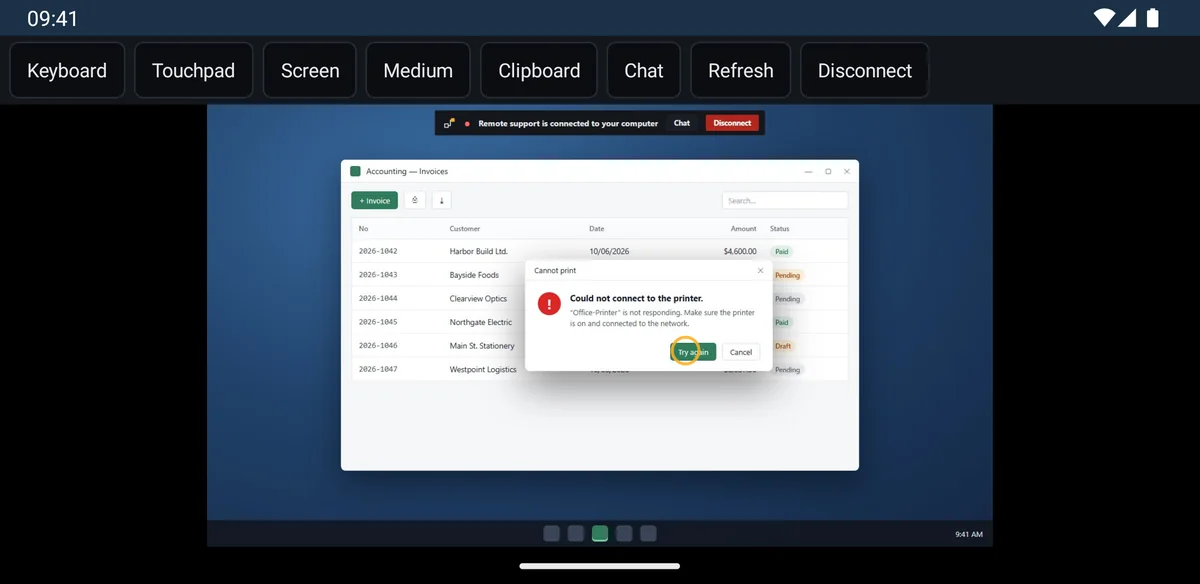
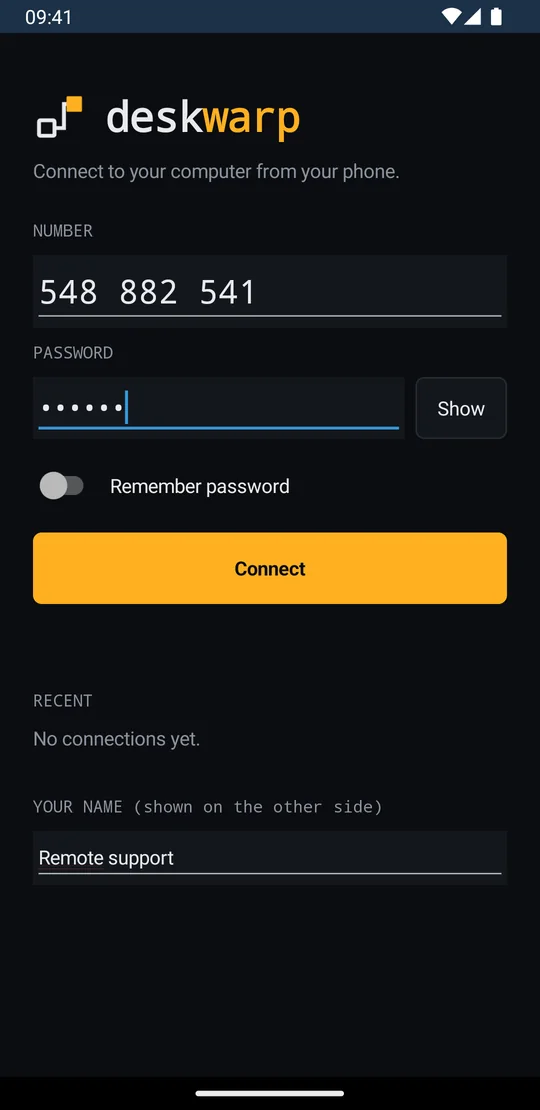
Your customer tells you their number and you connect to their screen from your phone. Same number, same password, same end-to-end encryption.
Business
That is not a promise of trust but a consequence of the design: the session key is generated at the two ends and never reaches the server. All the rendezvous server holds is a support number and encrypted bytes it cannot open.
The button opens your mail app with the details prefilled. If it does not open, write to us directly: info@eneryazilim.com
Download
Download one file, double-click it, share the number. No installation, no sign-up, no account.
Windows 10 and later · 64-bit · version 1.29
If it does not run, or you need a different build: all versions and architectures
To verify that the file you downloaded came from us, the SHA-256 digests: Get-FileHash DeskWarp.exe